
MCP Server Deployment
Deploy MCP Servers Without a CI/CD Pipeline
Skip the build step, the container registry, and the deploy script. Save a tool in the browser and it is live on your MCP server's endpoint immediately.
What's included
Deployment that disappears into the workflow
On MCPCore, deployment is not a separate stage. It happens as part of writing and saving a tool.
No build pipeline
There is no build step, container image, or registry between writing a tool and it being callable on your MCP server's endpoint.
Endpoint ready immediately
A new MCP server gets a live HTTPS endpoint the moment it is created, before you have written a single tool.
One click from the browser
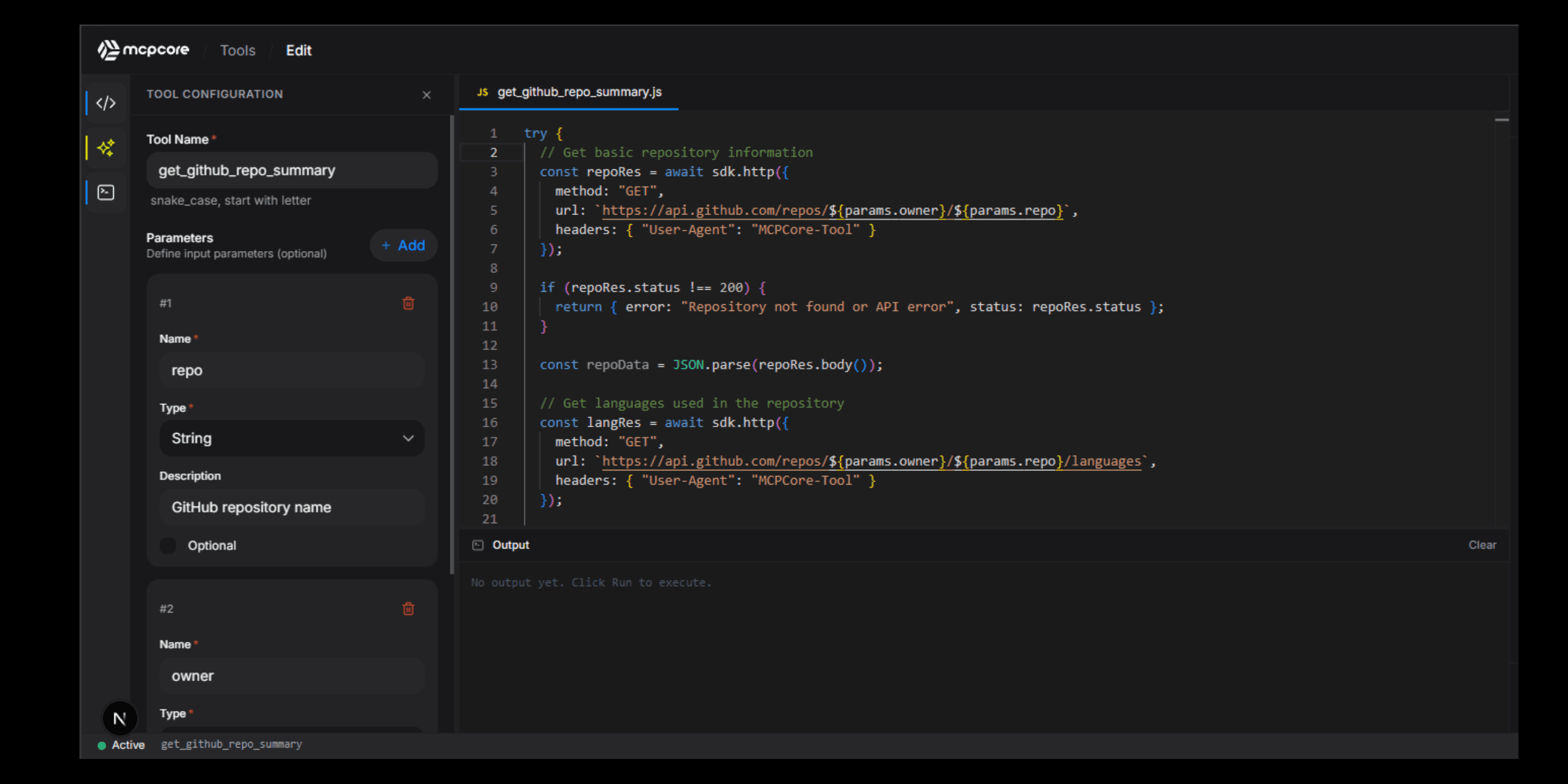
Deployment happens by saving your tool in the browser IDE. There is no separate deploy command or dashboard step.
Secrets travel with the server
Encrypted secrets are attached to the server, not to a deployment artifact, so they persist automatically across every change.
Errors are visible right away
If a deployed tool fails, the full stack trace and input parameters are captured immediately in the error log.
Access control stays intact
Changing a tool never resets your server's authentication mode. Public, API Key, OAuth 2.0, and Bearer Token settings persist across every update.
Tool Builder
Write, test, and deploy from the same screen
Deployment methods compared
Self-hosted deployment vs MCPCore deployment
A self-managed MCP server deployment pipeline works, but it adds steps between writing code and having a working endpoint.
Deploy your first MCP server for free
The free tier includes one MCP server with unlimited tools and instant deployment. No credit card required to start.
FAQ
MCP server deployment questions
How do I deploy an MCP server on MCPCore?
Create a server in the dashboard and write your tools in the browser IDE. Saving a tool deploys it to your server's live endpoint immediately, with no separate deploy step.
Do I need Docker or a container registry to deploy an MCP server?
No. MCPCore hosts and deploys your MCP server for you. You never build a container image or push to a registry.
Is there downtime when I update a tool?
Updating a tool's code does not take your MCP server's endpoint offline. Other tools on the same server continue to respond normally while you edit.
Can I see what changed after a deployment?
Error logs and analytics are timestamped, so you can correlate a spike in errors or a change in traffic with a recent edit to a tool.
Can enterprise customers deploy MCPCore inside their own infrastructure?
Yes. Enterprise plans support running MCPCore as a Docker container inside your own environment, with your own network policies and data sovereignty requirements.
Start building today
Free tier available. No credit card required. Get your first MCP server running in minutes.